
Nightwin Password Reset: Step-by-Step Recovery
Nightwin Password Reset: Step-by-Step Recovery
Forgetting your password can be a frustrating interruption, especially when you’re looking forward to some entertainment. This guide provides a clear, step-by-step walkthrough for recovering access to your Nightwin casino account, covering the entire process from initiating the reset to troubleshooting common issues.
Initiating the Password Reset Process
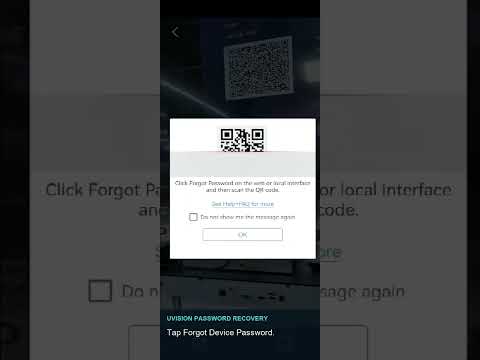
The first step to regaining access to your account is to navigate to the Nightwin login page. Directly beneath the login fields, you will find a « Forgot Password? » or similar link. Clicking this will redirect you to the recovery page. Here, you must enter the email address you used to register your account. It is crucial that this email is current and accessible. After submitting your email, Nightwin’s system will automatically generate and send a password reset link. This email typically arrives within 2-5 minutes, though it’s wise to also check your spam or junk mail folder if you don’t see it.
Creating a New Secure Password
Once you click the unique link sent to your email, you will be taken to a secure page on the Nightwin website to create a new password. Nightwin, like all reputable platforms, has specific security requirements. Your new password must be strong to protect your account and any potential Nightwin bonus funds. We recommend a combination of at least 12 characters, including uppercase letters, lowercase letters, numbers, and symbols. Avoid using easily guessable information like your name or birthdate. Confirm your new password by typing it a second time and click ‘Submit’ or ‘Confirm’ to finalize the change.
Common Login Issues and Troubleshooting
Sometimes, even with the correct password, you might encounter problems. Here are the most frequent issues and their solutions:
- Incorrect Username: Double-check that you are entering your username correctly, paying attention to capitalization and any numbers.
- Browser Cache/Cookies: Old or corrupted data can cause login failures. Clear your browser’s cache and cookies, then try again.
- Account Locked: After several failed login attempts, Nightwin may temporarily lock your account as a security measure. If this happens, wait 15-30 minutes before trying again or use the password reset function.
- Site Maintenance: Check the Nightwin website or their social media channels for any announcements regarding scheduled maintenance that could temporarily affect logins.
What to Do If the Reset Email Doesn’t Arrive
If the password reset email from Nightwin is not in your inbox or spam folder after 10 minutes, the issue likely lies with the email address on file. You may have registered with a different email than you remember. In this case, your only recourse is to contact Nightwin customer support directly. Be prepared to verify your identity to prove you are the legitimate account holder. They will typically ask for information such as your full name, date of birth, and possibly the last four digits of a payment method used on the account.
Security Best Practices for Your Account
After recovering your account, take steps to prevent future lockouts and enhance security. Use a unique password that you don’t use for any other online service. Consider using a reputable password manager to keep track of your login details securely. Furthermore, be wary of phishing emails that pretend to be from Nightwin casino. Official emails will always come from a verified @nightwin.com domain and will never ask you for your password directly. Enabling two-factor authentication (2FA) if Nightwin offers it is the strongest way to add an extra layer of protection to your account.
| Recovery Step | Typical Timeframe | Notes |
|---|---|---|
| Receiving Reset Email | 2-5 minutes | Check spam/junk folder if not received. |
| Clicking Reset Link | Immediate | Link is often time-sensitive and expires after 1 hour. |
| Setting New Password | Less than 1 minute | Ensure new password meets complexity requirements. |
| Support Response (if needed) | Up to 24 hours | Via email; live chat is typically faster. |
Getting Further Assistance
If you have followed all these steps and are still unable to access your account, the next step is to contact Nightwin’s customer support team. They are available 24/7 via live chat and email to assist with account issues. Have your account information ready to help verify your identity. For those interested in other forms of online entertainment beyond the digital casino, you might explore options like thehornetalehouse.co.uk/hire for a completely different experience. Remember, keeping your login details for your Nightwin account secure is paramount for protecting your funds and personal information.